Camera Calibration for GoPro Cameras
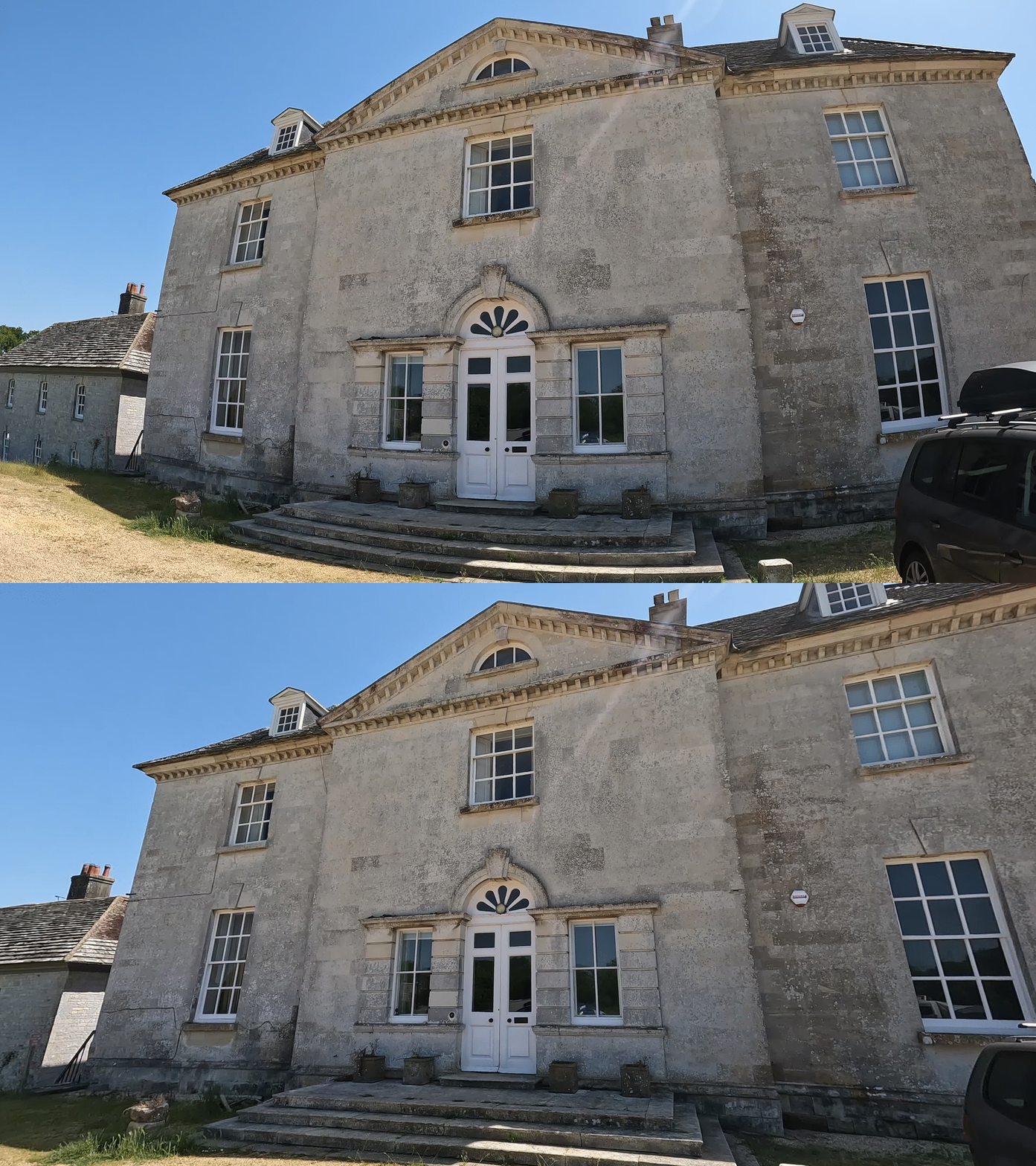
For most tasks in computer vision you need camera calibration. Calibration usually includes lens distortion parameters so if you have a camera with a wide angle lens, such as a GoPro, then calibration allows you to remove lens distortion.
Calibrations
In another project I wrote code and tools for calibrating cameras for computer vision tasks. My Calibration technical demonstration explains many details about calibration.
I have computed calibrations for the GoPro Hero 3+ Silver and GoPro Hero 10. My calibrations are not perfect and your camera will have slight variation but these values should be suitable as a starting point.
About Lens Modes
The Hero 3+ Silver has 3 modes:
- Narrow
- Medium
- Wide
For 1280×960 and WVGA resolutions, only Wide mode is available.
The Hero 10 has 4 modes:
- Narrow
- Linear
- Wide
- Superview
Linear and Superview are not true lens modes, they have been processed. Therefore calibrations are not provided for those modes.
About Lens Distortion Models
My code uses OpenCV; the default lens distortion model is Brown-Conrady and the fisheye distortion model is Kannala-Brandt. For GoPro cameras the fisheye is more suitable but it is more difficult to detect calibration charts in images where there is a lot of skew or the lens has extreme distortion. This means that it is difficult to make a set of images with enough diversity to obtain very accurate calibrations.
Removing Distortion
Using my calibration files, you can use the dedistort tool from my calibration demo to remove distortion from a single image. To build this tool you will need a suitable development environment or to build my techdemo Docker image in order to compile the program.
Example:
dedistort -i images/frames00750.jpg -c calibration.yaml -o dedistorted00750.jpgUsing the video_undistorter.py script from the demo you can process videos using FFmpeg's lenscorrection filter. This solution won't be able to remove all the distortion but does have the advantage of other processing that FFmpeg offers and stays completely in the FFmpeg processing pipeline, if you care to edit the script.
Example:
video_undistorter.py --input video.mp4 --calibration calibration.yaml --mode scale --output dedistorted.mp4For full distortion removal, use this script: ld_remove.py. It can automatically accept both standard and fisheye versions of my calibrations. This script opens a video file using OpenCV, removes the distortion and uses FFmpeg to write the frames out. The disadvantage is that the internal processing will be in 24 bit RGB and not ideal for high quality content production.
Example:
ld_remove.py --input video.mp4 --calibration calibration.yaml --mode scale --output dedistorted.mp4